Aimbot
Overwatch Aimbot Settings: FOV & Smoothness
Configure Overwatch aimbot without snapping every fight. This guide covers smoothness, FOV, bone priority, per-hero profiles, and how aimbot fits the full Overwatch Hacks package.
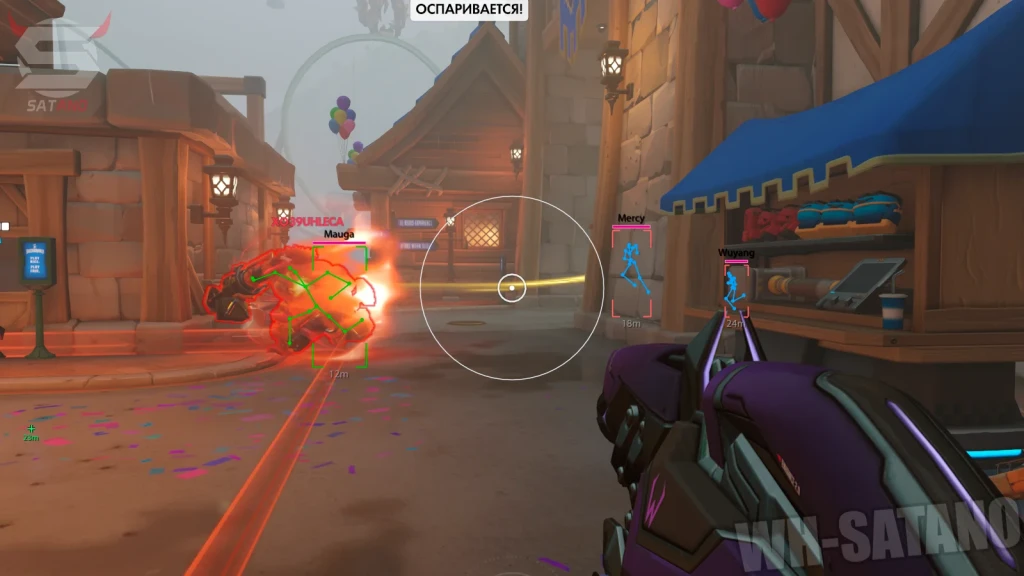
Start conservative, then tune one slider
Begin with moderate FOV and higher smoothness. Instant-snap configs look unnatural in kill cams and are harder to control in chaotic six-hero fights. Hotkeys let you disable aimbot mid-match when streaming or scrimming.
Full controls: Overwatch Aimbot landing page and in-menu documentation after Setup.
FOV and smoothness tradeoffs
Lower FOV keeps assist inside your natural aim bubble — better for ranked believability. Higher FOV catches wider swings but increases report risk and crosshair chaos.
Higher smoothness slows correction speed — better for hitscan tracking. Lower smoothness suits close-range flick heroes if you accept visibility tradeoffs.
Lock raw sensitivity first via settings guide before chasing FOV changes.
Per-hero and per-role profiles
Hitscan DPS, projectile DPS, and tank primary fire need different FOV bands. Build separate profiles instead of one global config you retune every hero swap.
Hero balance shifts on Overwatch — revisit profiles after combat patches that change projectile speed or hitscan falloff.
Package context: Overwatch Hacks.
Pair aimbot with ESP and radar
Aimbot alone does not solve flank timing or ult economy. Pair with ESP and radar so you only commit fights you should win.
ESP tells you who to aim at first; radar tells you when to stop tracking and rotate.
ESP deep dive: wallhack explained.
Anti-cheat and maintenance notes
After anti-cheat patches, confirm aimbot module status on Updates. Background: undetected EAC guide.
Do not max assist the same week a rebuild drops — wait for confirmed status.